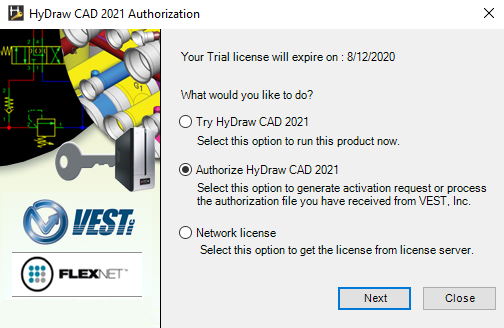
1. Double click the HyDraw® CAD 2021 desktop icon.
If the program is not authorized, then the License Server Product Authorization dialog box displays.
2. Select Authorize HyDraw CAD 2021.
3. Click Next.
Alternatively select,
Start menu > HyDraw CAD 2021 > HyDraw
CAD 2021 License Settings
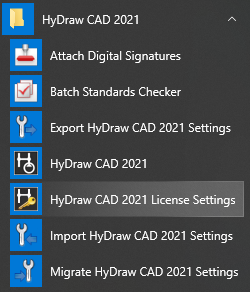
The HyDraw CAD 2021 License Manager dialog box displays.
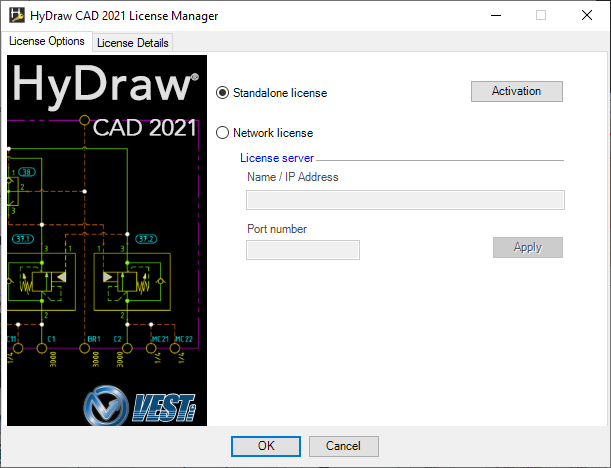
4. Click the Activation button.
The HyDraw CAD 2021 Authorization dialog box displays.
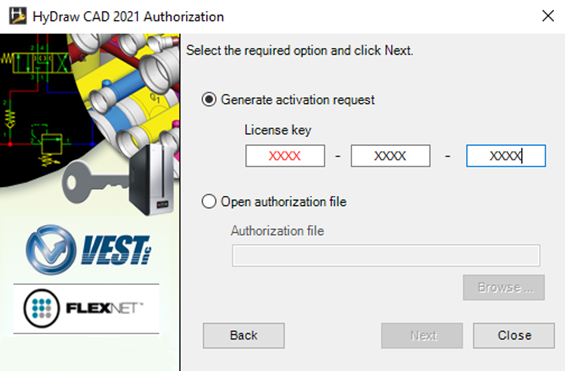
5. Select Open authorization file.
6. Click Browse... and select the saved Authorization code XML file.
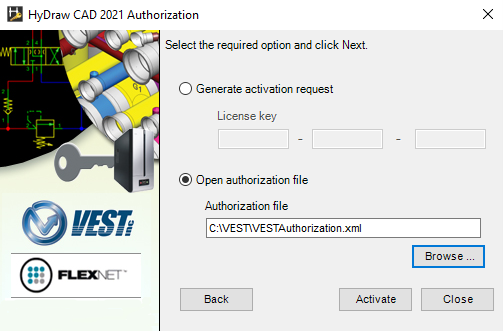
7. Click Activate.
Confirmation message displays: Your HyDraw installation has been authorized successfully.
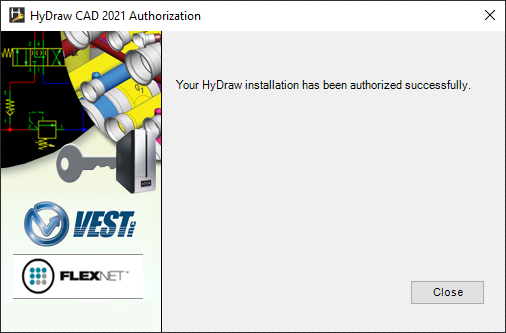
8. Click Close.
The dialog box closes, and HyDraw License is successfully activated.
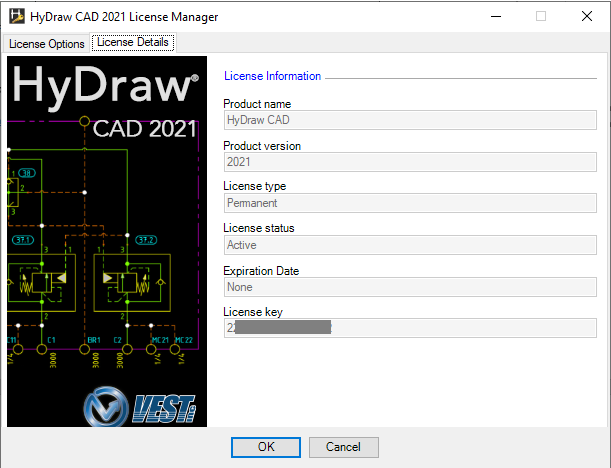
9. Check the License details from the HyDraw License Manager.
Note:
Refer, HyDraw License Details.