 in the HyDraw®
CAD 2021 ribbon menu.
in the HyDraw®
CAD 2021 ribbon menu.1. Select
Circuit > in the HyDraw®
CAD 2021 ribbon menu.
2. Click the Application Settings > Miscellaneous tab.
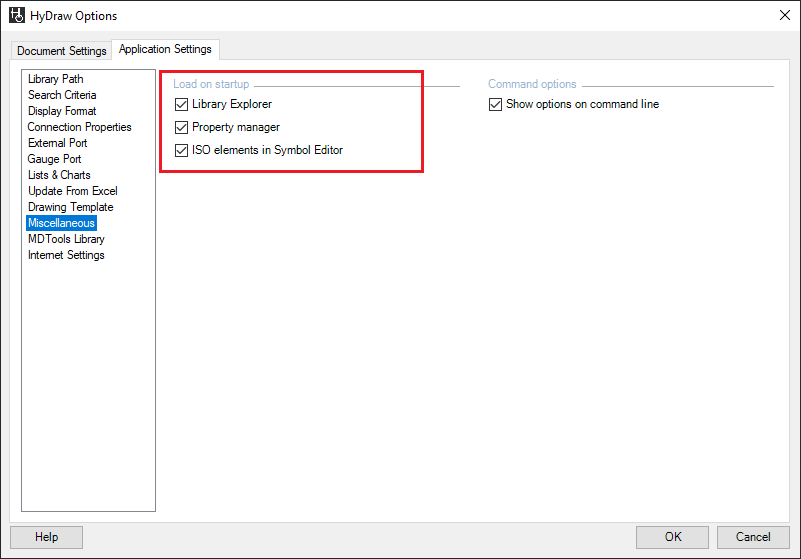
3. Select Library Explorer from the Load on startup group box.
Subsequently, the Library Explorer opens and docks to its previous location.