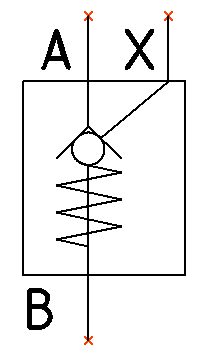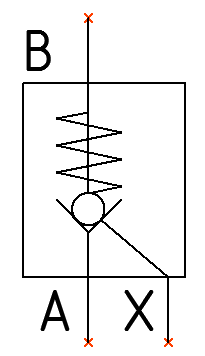
Flip a symbol horizontally or vertically. The associated text is constrained to remain horizontal.
Flip Horizontal
Symbol inserted in the drawing.
1. Click Circuit >  Flip Horizontal from the Modify Symbol option on the HyDraw® CAD ribbon menu.
The Select Symbols command displays.
2. Select a single or multiple symbols.
3. After selection, press the Enter key.
The symbol flips horizontally.
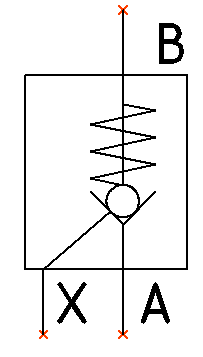
Flip Vertical
Symbol inserted in the drawing.
1. Click Circuit >  Flip Vertical from the Modify Symbol option on the HyDraw CAD ribbon menu.
The Select Symbols command displays.
2. Select a single or multiple symbols.
3. After selection, press the Enter key.
The symbol flips vertically.