If you have a question about HyDraw CAD 2022 email us at support@VESTusa.com.
Please include the following:
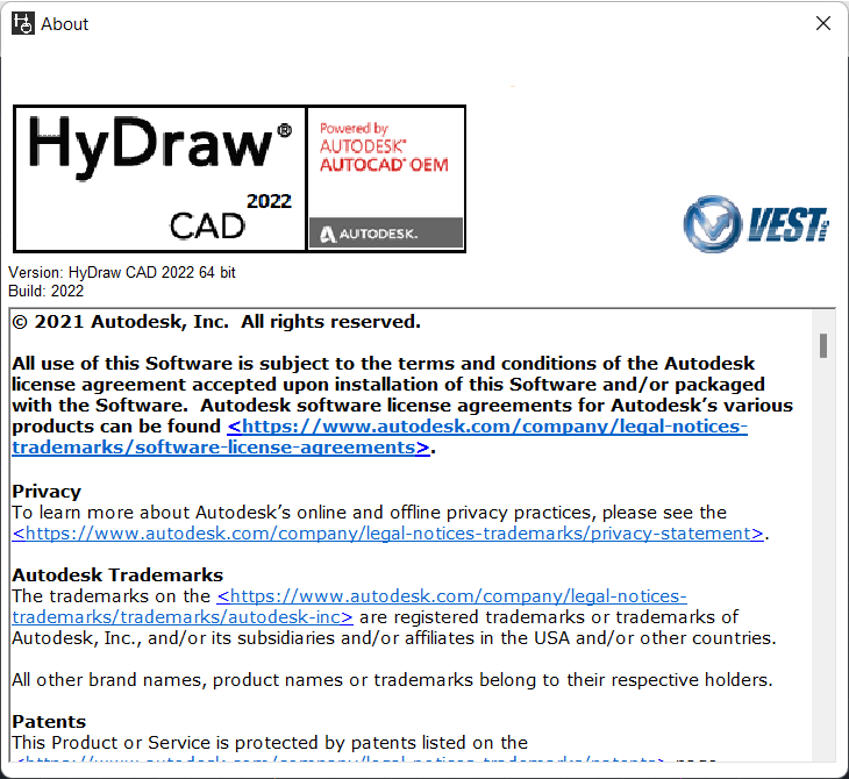
· Version number of the software you use.
To see the version of HyDraw on your machine, click About HyDraw from the Help ribbon menu.
· Configuration of your machine.
· Exact messages, if any, on the screen.
Send a screen capture, if possible.
Description of the problem and what you were doing when the problem occurred. It would be very helpful to reproduce the exact steps of the problem
Description of how you tried to solve the problem.
***Click the About HyDraw command on the Help ribbon menu to view the About HyDraw message box indicating the software version number.
About HyDraw