
Export a HyDraw® CAD created circuit as an XML, which can be readily opened in MDTools® for designing a manifold.
1. Select symbols and connections from the drawing.
2. After selection, press the Enter key.
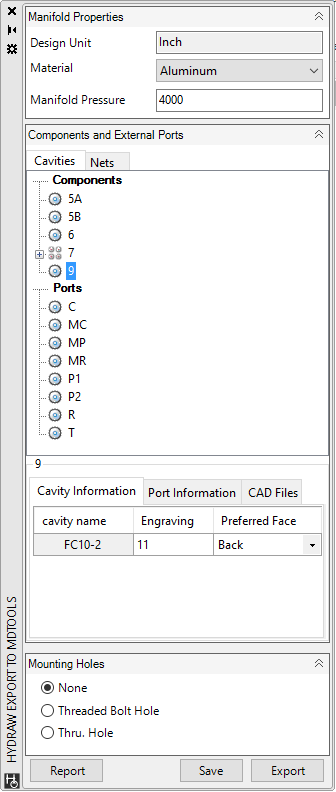
The Export to MDTools page loads.
The data and the default values entered into HyDraw® are automatically read from the drawing.
Note:
MDTools Path is required for Export to MDTools command.
To Set Library Path use HyDraw Options > MDTools Library on the HyDraw CAD ribbon menu