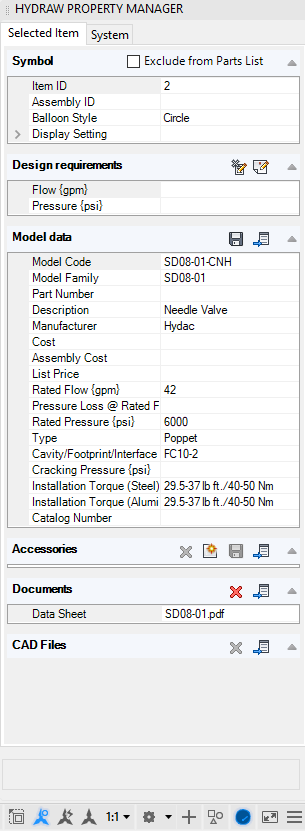
The Selected Item tab page displays the properties of the selected component. It remains collapsed if the item is not selected in the drawing.
The Exclude from Parts List option is available for selection, when one or many Component Symbols are selected in the drawing.
Note:
· Select Exclude from Parts List to exclude the selected item(s) from BOM.
· By default, the Exclude from Parts List option is deselected for all inserted symbols.
· Exclude accessories separately, if required.
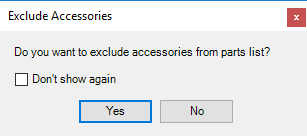
Exclude Accessories