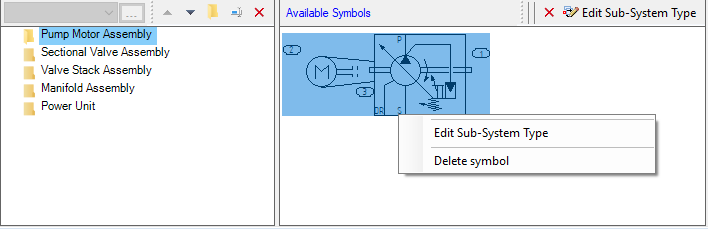
The Available Symbols section displays the symbols for selected folder.
· Edit Sub-System Type
· Delete a Symbol
The commands are displayed as icons on the caption bar and in the context menu.
Note:
HyDraw CAD users browse to the Drawing application > Library Explorer > Sub-System to add a new symbol.