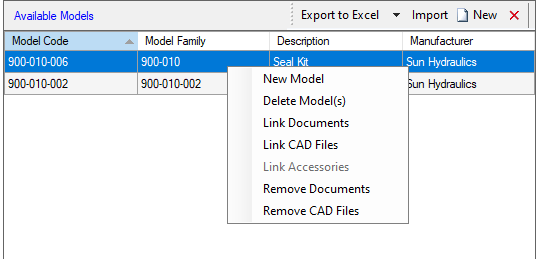
The Available models section displays all the accessories for the selected component type of a manufacturer or all manufacturers.
Create a New model or  delete a model by selecting the icons on the caption bar.
The Import option enables you to import accessory data from Microsoft Excel.
Note:
· You can delete model either one by one or drag select to delete multiple models.
· Right click the context menu to link Docs/CAD files either one by one or drag select to link multiple Docs/CAD files.