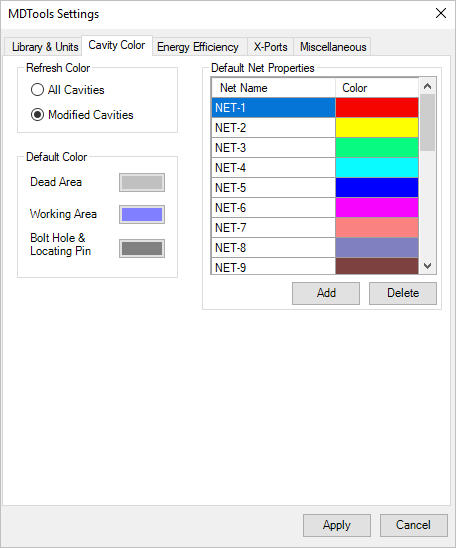
All Cavities
Automatically updates the color of all the cavities in the manifold.
Modified Cavities
Only updates the color of the modified cavities.
Dead Area
Sets the color for the dead areas in the cavity
Working Area
Sets the default color of the working areas in the cavity
Bolt Hole & Locating Pin
Sets the color for locating pin holes and bolt holes
Default Nets
View the default name and color for a number of defined nets (flow paths)
Add a Net
Click Add.
Change the default net name assigned by clicking the newly added net name
Delete a Net
Select a net from the list and click Delete.
Change Net Color
Click the color band against a net name to
change the color of the net name.
Click Apply to save settings.