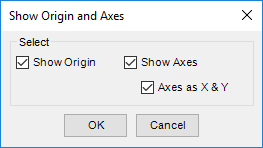
Automatically display the face origin and X/Y direction of each face in the 2D drawing.
MDTools 775 ribbon > Display panel > Origin & Axes
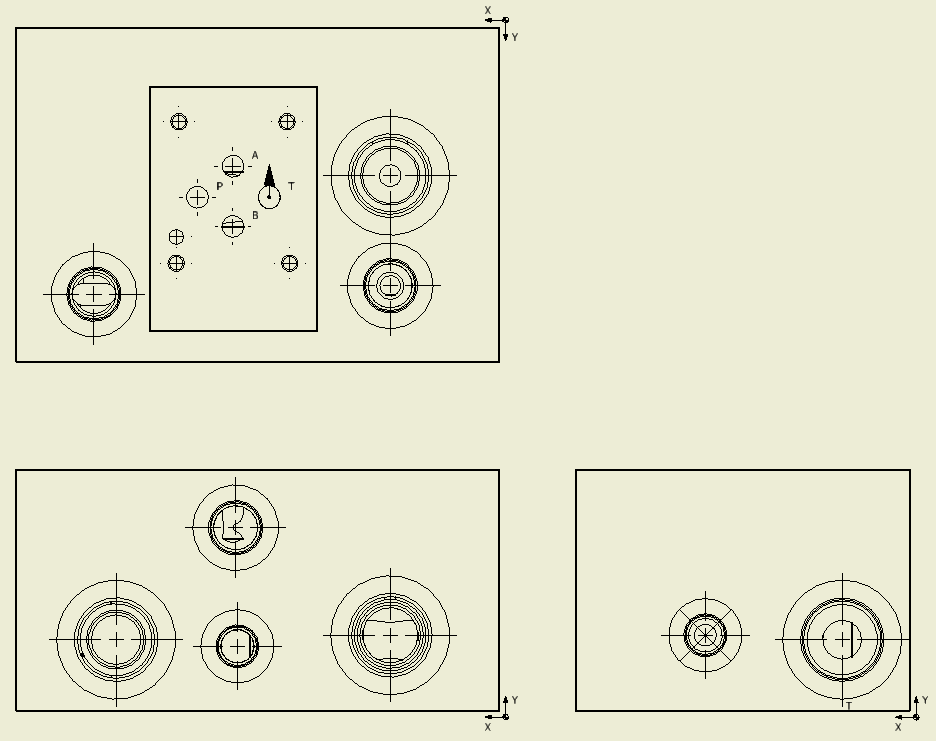
MDTools® displays the face origin & axis direction in each drawing view according to the drawing projection angle.
The face origin is marked by a half-filled circle and
the axis direction is indicated by an arrow and X, Y, Z axis notation.
This is created inside a single sketch in a view.
The face origin and axis direction in a view moves together when you drag the view position.
To move an origin and axis, drag the origin and axis to the desired location.
Note
§ If 2D views are created manually, then use the following naming convention for the manifold views.
Top A
Front B
Bottom C
Left D
Right E
Back F
§ The
Show
Origin & Axes command will not work if you do not use the view
names,
per naming conventions.