Activate Machine Locked License
From the MDTools 980 Part Model, Drawing, or Assembly ribbon/drop-down menu.
Start > MDTools 980
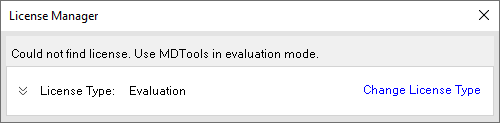
The License Manager dialog box displays.
(before the license is authorized, MDTools is in Evaluation mode)
Click Change License Type to select and activate an alternative MDTools License option.
Or Click Continue to use MDTools in Evaluation Mode.
License Options dialog displays.
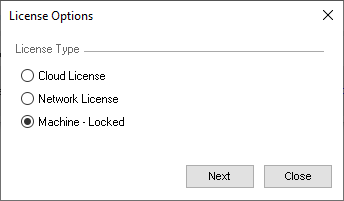
Select Machine - Locked.
Click Next.
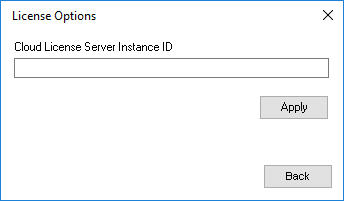
Enter Cloud License Server Instance ID (received by email from VEST).
Click Apply to activate License.
SOLIDWORKS will open with MDTools 980 Addin Loaded by default.
Note:
Use the Return button to free License from MDTools.
Computer should be connected to internet to get/return a Machine Locked license.
If license is not available for check-out at SOLIDWORKS loading time, then MDTools displays License Manager dialog with License Type as ‘Evaluation’.