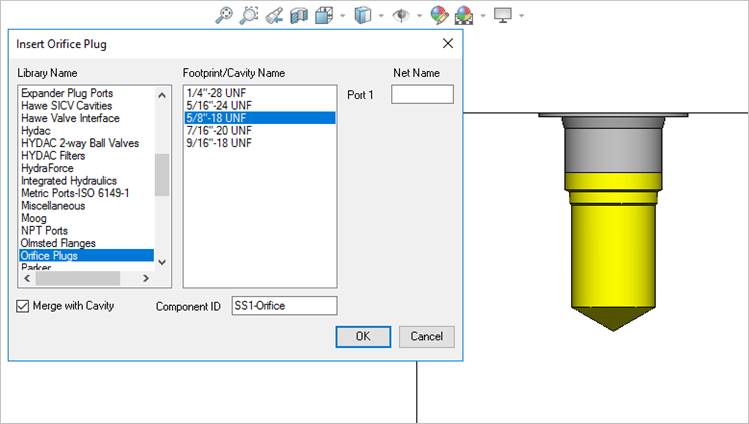
Merge with Cavity
Merge the orifice plug with the existing cavity. The Merge with Cavity option deletes the original cavity and creates a merged cavity at the same location.
1. MDTools 985 > Orifice
The MDTools Select Cavity dialog box displays.
2. Select a cavity to insert into the orifice plug.
The orifice plug cavity is inserted into the center of this cavity.
The Insert Orifice Plug dialog box displays.
3. Select the cavity for orifice plug from the library.
4. Select the Merge with Cavity option.
5. Enter Component ID for the orifice plug cavity.
The default Component ID is <Parent Cavity Component ID> - Orifice.
6. Click OK.
MDTools® evaluates the possibility of merging and displays the Update Machining Sequence dialog box.
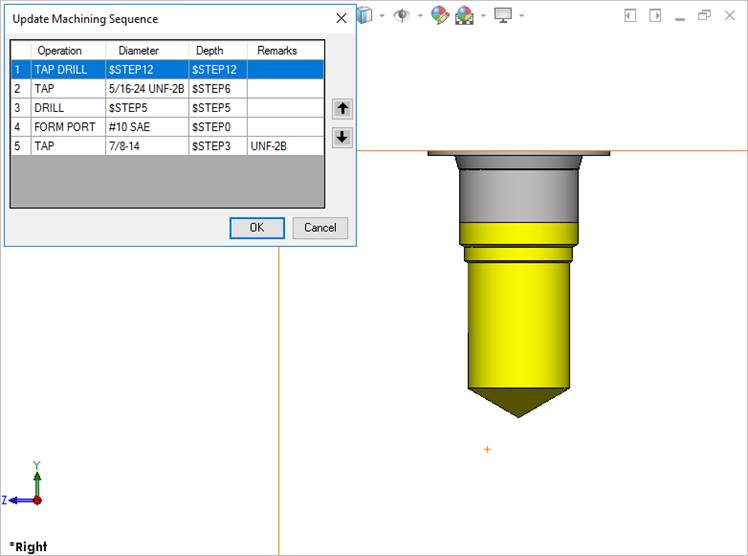
Update Machining Sequence option
Note:
The Update Machining Sequence dialog box shows the machining sequence extracted from both the cavities.
You can reorder the processes, per requirement.
7. Click OK.
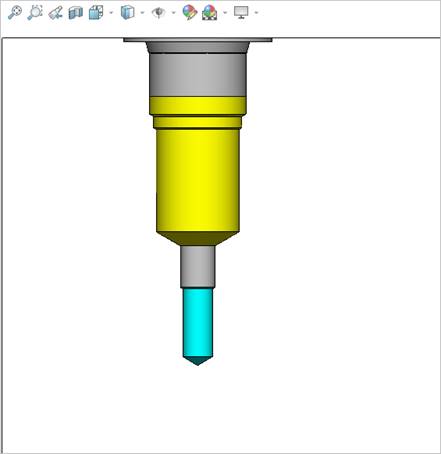
Orifice Plug: Merge to Cavity option
Note:
· The Merge with Cavity option converts all the cavity types to Cartridge Valve (CV) cavity types.
· The area from the bottom port plug to the drill end is considered as Working Area. Thus, the merged cavity has a side port in this area.
· The machining parameters for both the cavities are also automatically merged.