
The refresh command compares the Local file version with the version in the Vault for the specific Revision.
If the local version is older than the version in the vault, the vault version is copied from the vault to the local working folder and the current file is reloaded.
1. Select Refresh from Vault Ribbon.
2. The Refresh file dialog is displayed.
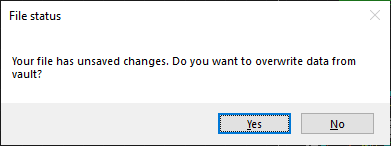
Select Yes to overwrite the changes from Vault and get the latest version from Vault.
Select No to retain the changes made in the drawing.
Note:
The most recent versions of the selected files are downloaded from the vault. If the working copy of a file is newer than the most recent version of the file in the vault, you are prompted to choose either losing changes made to the current working copy or not getting the latest version of that file.