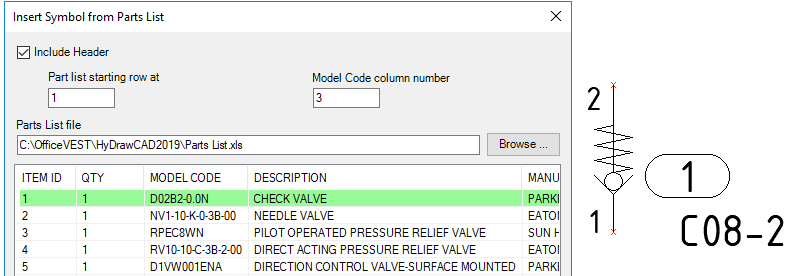
Note:
· Parts list is assigned with Item ID for all components when loaded.
· By default, symbols are inserted based on the Sequential Numbering option selected in the Item ID tab.
· Insert symbols from Parts list has model properties filled and identified as a component directly.
· Insert same symbol from Parts list groups the symbols based on the options set for Item ID in HyDraw Options.
· Insert symbol over the connection, splits the connection line and reconnects.
Refer Insert symbol over connection line.
Symbol Inserted from Parts List – Automatic Item ID
Note:
· Copying and Inserting HyDraw symbols in the drawing is based on the automatic naming and smart grouping of Item IDs set in HyDraw Options.
· Mirroring a schematic or a portion in the drawing is based on the automatic naming and smart grouping of Item IDs set in HyDraw Options.
· For ISO Numbering scheme, the first item ID is manually provided by double clicking the Item ID or the HyDraw Property Manager.
· HyDraw CAD stores the prefix and generates automatic Item ID based on the last used ID.