|
|||||||
| Engineering Re-Imagined! | Home | About Us | Customers | Success Stories | Referral | Contact Us | ||||||
|
|
|||||||||||
| Circuits | Manifolds | Services |
| MDTools 755 | Overview | Value | Free Evaluation | Success Stories | Buy | Support |
| What's New | What's New | System Requirements |
| Improved User Interface | |
 |
||||
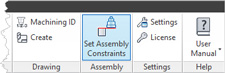
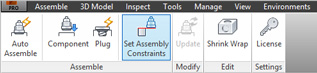
| Set Assembly Constraints in Ribbon Menu | ||||
| Part Menu | Assembly Menu |
Set Assembly Constraints |
||
 |
 |
|||
|
||||
 |
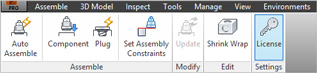
| License Option in Drawing and Assembly Menu |
| Drawing Menu | ||
Manage MDTools license |
|
|
| Assembly Menu | ||
 |
||
|
||
|
| User Interface and Report Formats Improved |
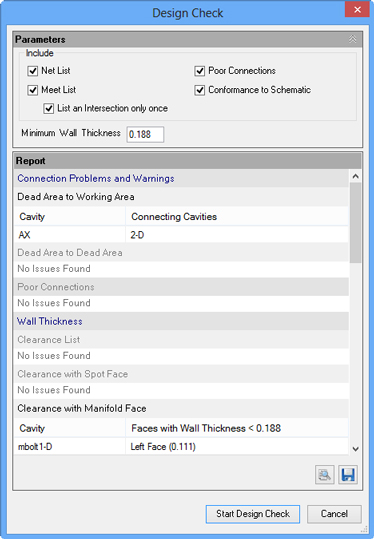 |
Report allows easy identification of issues. The sections with no issues are grayed out, |
|
|
||
|
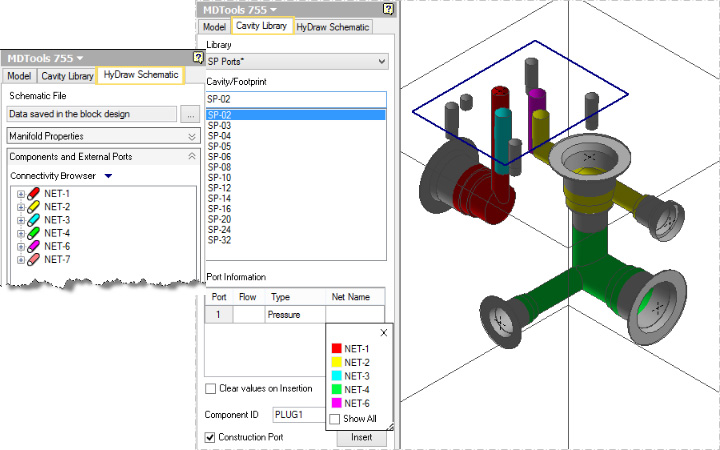
| Select Net from Available Net List in Manifold |
List of nets used in the HyDraw Schematic are displayed in the Connectivity Browser.
List of nets used in the manifold appear as popup when you click in the Net Name field displayed |
 |
|
||
|
||
| Shrink Wrap | ||
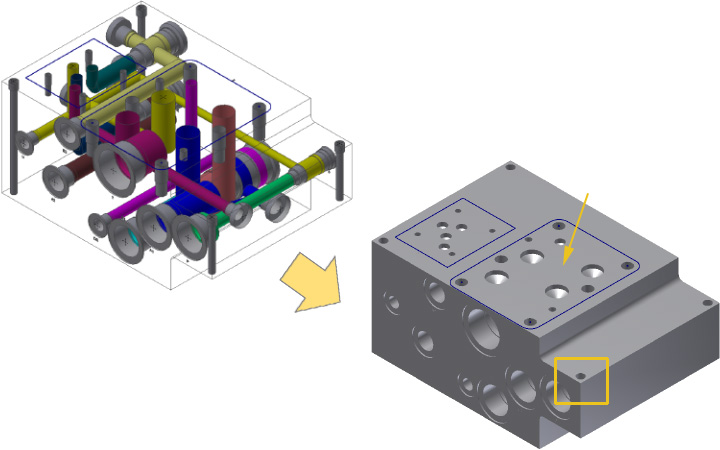
| Shrink Wrap Manifold Assembly |
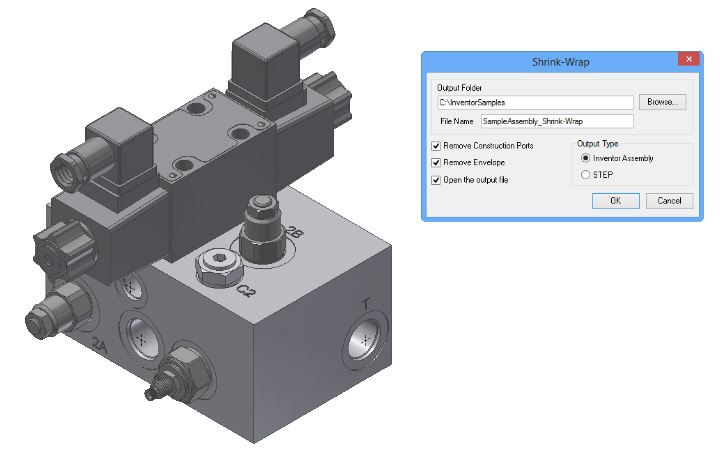 |
Deliver shrink-wrapped assembly in Inventor Assembly format(.iam) (* Shrink wrap removes Internal connectivity information) |
|
|
|
|
| Shrink Wrap Non-Rectangular Manifolds |
Shrink Wrap Non-Rectangular Manifolds to remove internal connectivity information The through bolt holes are kept unchanged
|
 |
|
||
|
||
| Generate Machining ID | ||
| Retain Machining IDs when Revising Your Manifold Design |
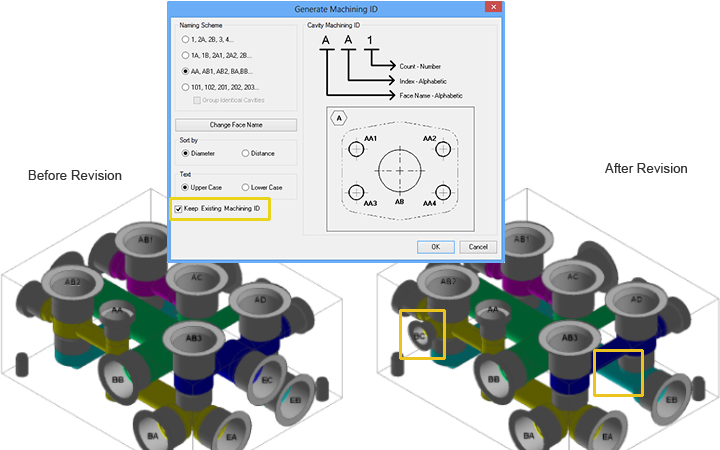 |
Revisions made: Note: The Machining IDs of other cavities are unchanged |
|
||
|
||
| Manifold Assembly | ||
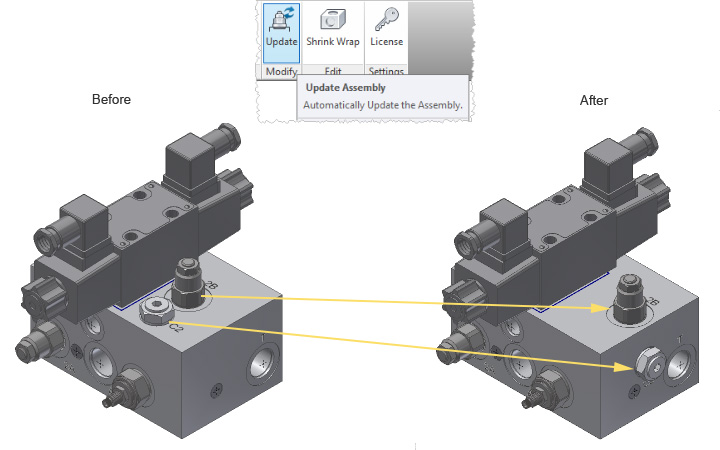
| Update Manifold Assembly Automatically |
Assembled valve model moved to a new location automatically Valve model moved and assembled with cavity on a new face automatically |
 |
|
|
|
|
| Modify Manifold Assembly |
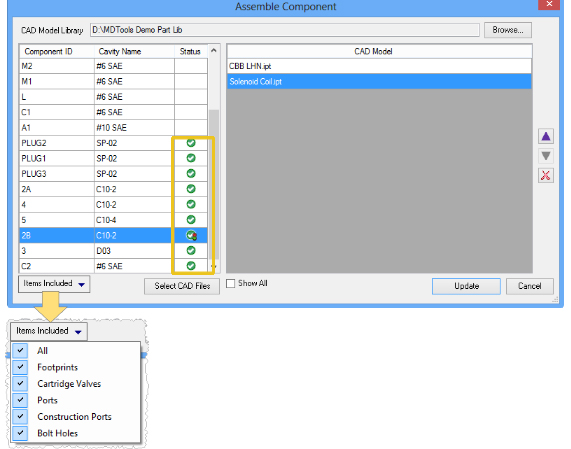 |
Status, shows assembled and unassembled cavities Update Icon indicates that an update is required
Filter list by cavity type
Apply changes and update your assembly |
|
|
|
|
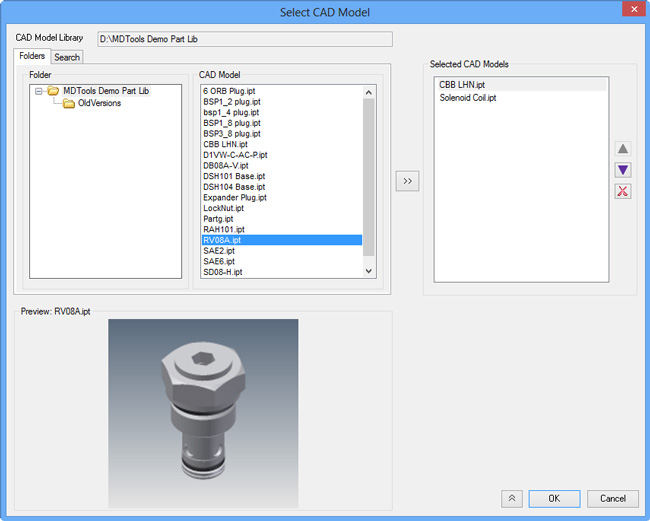
| Preview CAD Model on Selection |
Preview of CAD model |
 |
|
||
|
||
| Create Machining Drawing | ||
| Specify Margin for Drawing Templates |
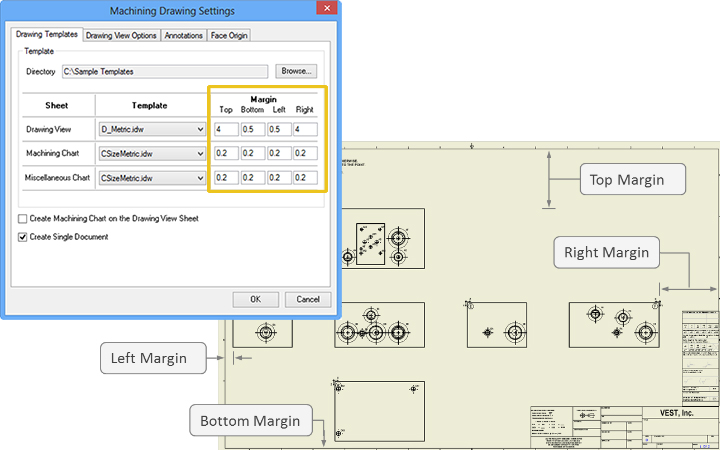 |
Specify the top, bottom, left, and right margin for each template to generate the machining drawing.
Note: This is specific to the Create Machining Drawing command in Part Model. |
|
|||
|
|||
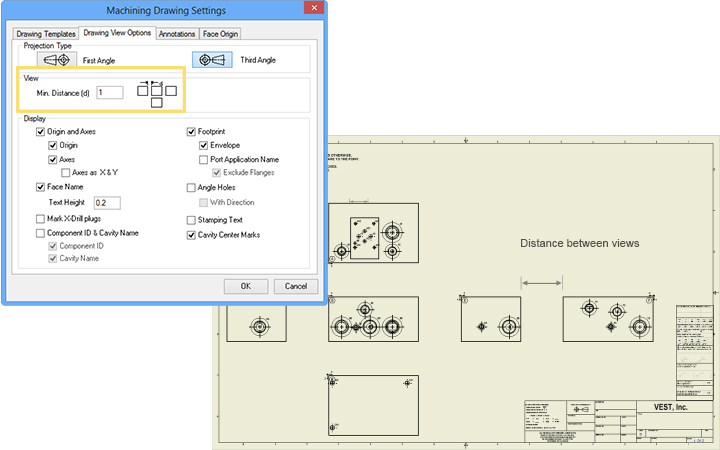
| Specify Minimum Distance Between Views | |||
Specify minimum distance
|
 |
|
|||
|
|||
| Miscellaneous Charts in One Sheet | |||
|
Create on a single sheet :
|
|
||
|
||
| New Interactive Functionality | ||
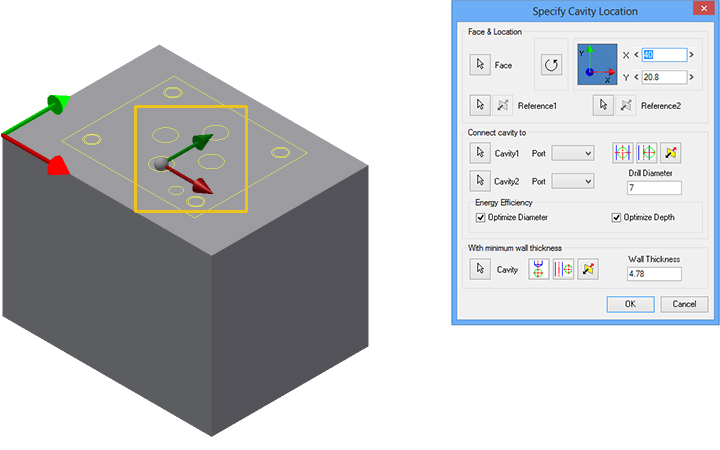
| Position Cavities or Footprints by Dragging when Inserting or Connecting Cavities |
Position a cavity in the model by dragging the center point of the selected cavity Move and position a cavity along an ordinate by grabbing one of the directional arrows
Note: Similar functionality is available |
 |
|
||
|
||
| Import and Export MDTools Settings | ||
| Preserve/Transfer MDTools Settings Across Versions or Computers |
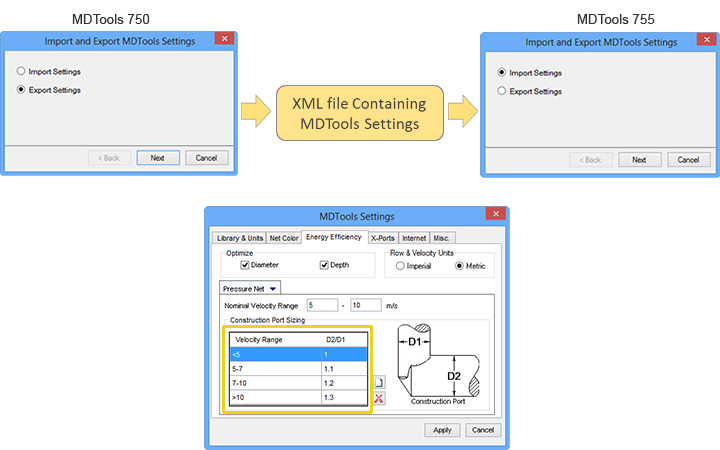 |
MDTools 750 settings |
|
||
|
||
| New Checking Functionality | ||
| Check Conformance to Schematic |
Error-free: Check the manifold design |
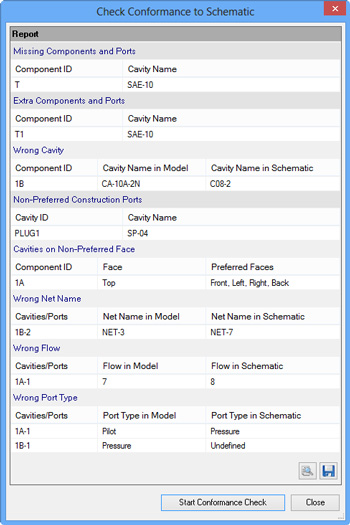 |
|
||
|
||
| Check for Poor Connections | ||
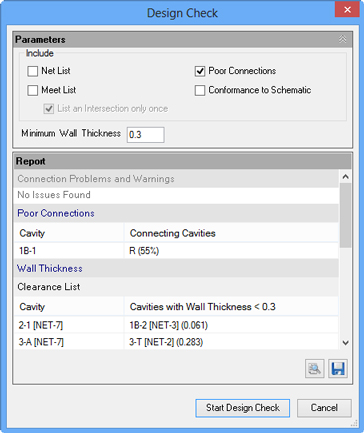
|
Design Check,
Report lists connections having area of the connection |
|
|
|||
|
|||
| Repetitive Information Removed in Meet List | |||
Program removes
Note: This option is also available in the |
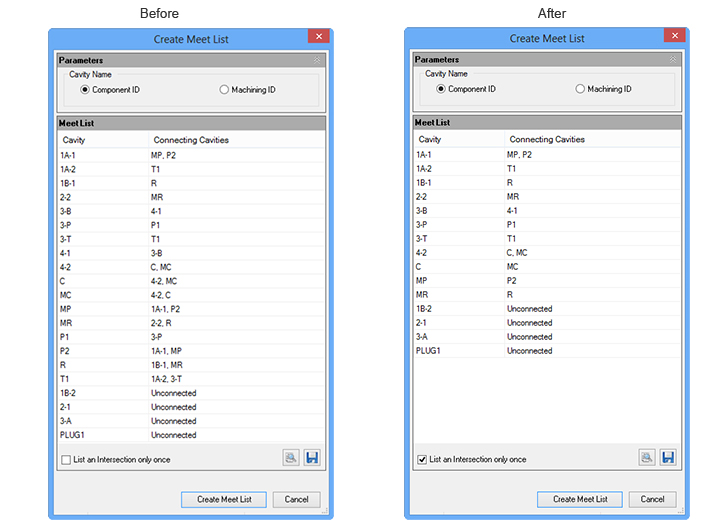 |
|
||
|
||
| Manufacturing and Tooling Check – Actual and Standard Values Displayed | ||
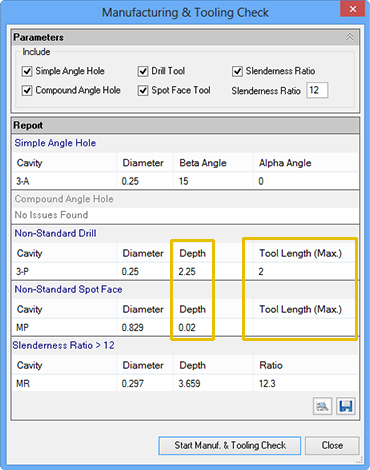
|
Actual value: Depth in Model Standard value : Max Tool Length in Library |
|
|
||
|
||
| Miscellaneous | ||
| Align Multiple cavities |
|
Multiple cavities aligned |
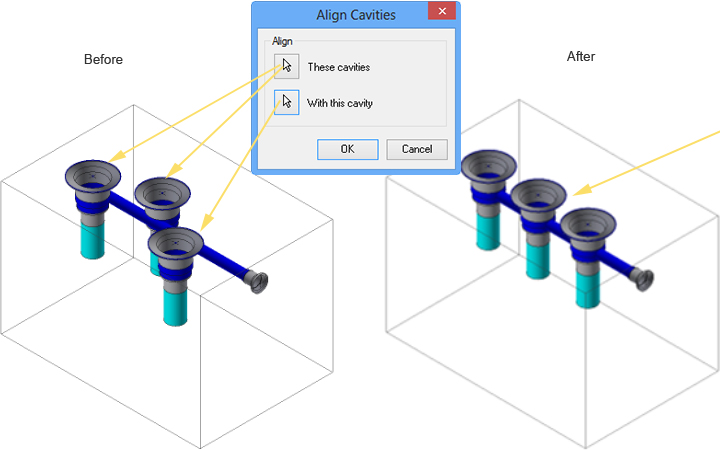
|
|
|||
|
|||
| Manage O-ring Machining Information | |||
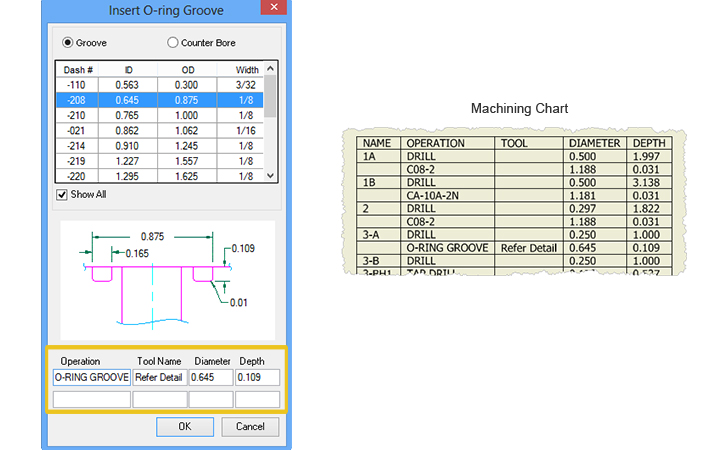 |
Machining information now stored with O-ring Edit O-ring machining information
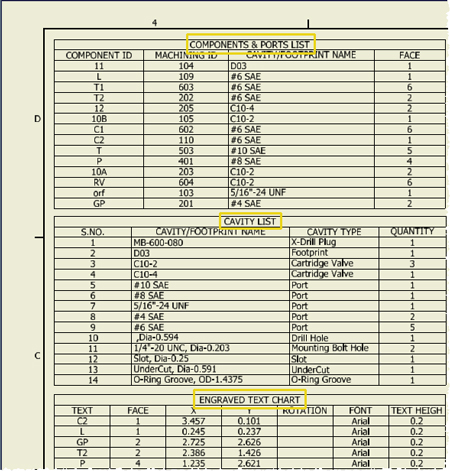
Machining information included in Machining Chart |
|
|||
|
|||
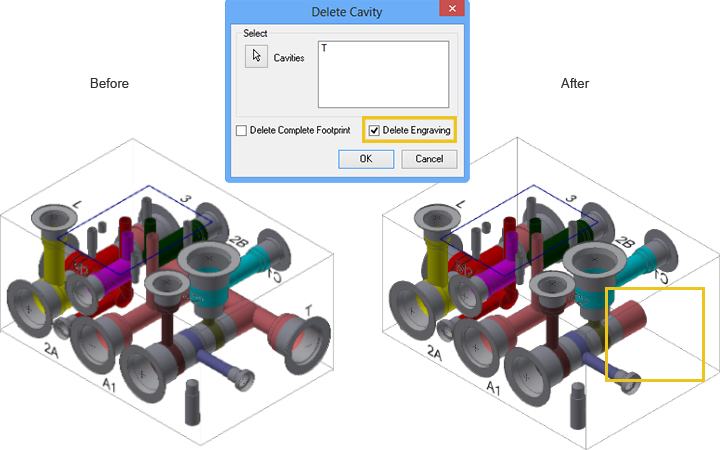
| Delete Attached Engraving with the Cavity | |||
Delete cavity and the |
|
|
|||
|
|||
| Maintain Existing Text Height when Editing All Engravings | |||
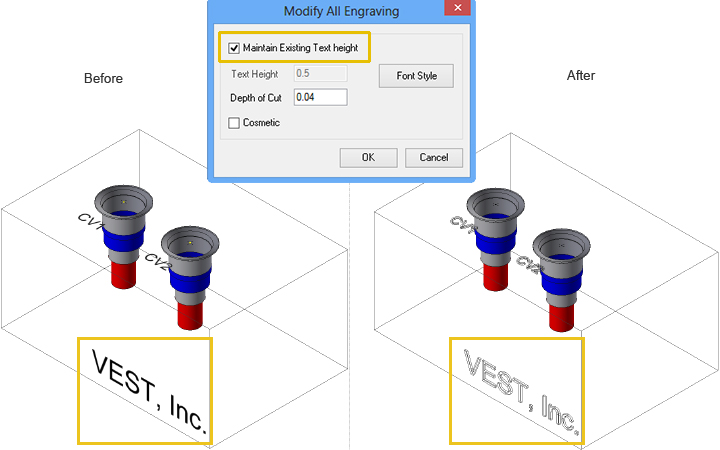 |
Maintain Existing Text Height selected.
Cosmetic text converted into engraved text Note: Text height unchanged |
|
|||
|
|||
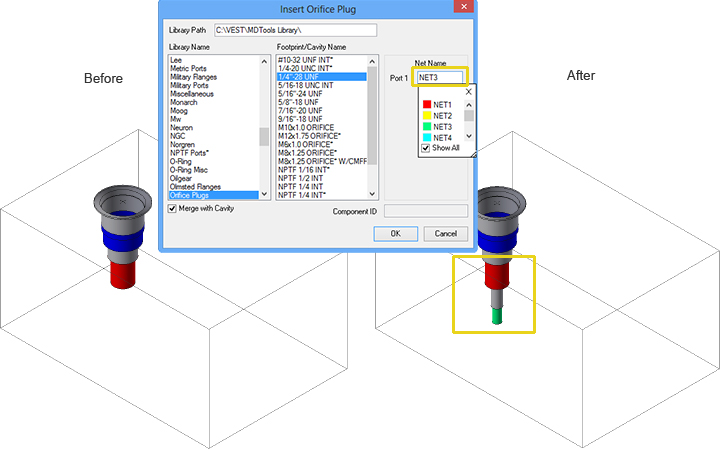
| Enter Net Name for Orifice on Insertion | |||
Specify net name for orifice
Orifice with specified net |
|
|
|||
|
|||
| Correct Placement of Machining IDs | |||
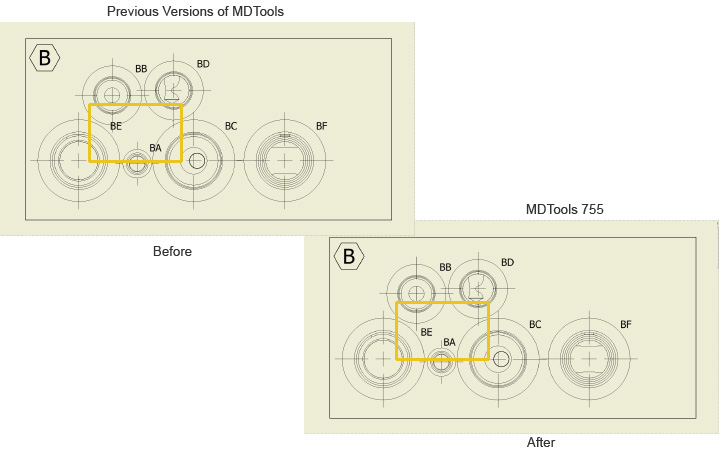 |
No overlapping of Machining IDs |
|
||
|
||
| Do more... MDTools 755 manifold design software | >> Free Evaluation | |
 |
| Support & Feedback | Support Policy | Privacy | Trademarks | © 2017 VEST, Inc. |