|
|||||||
| Engineering Re-Imagined! | Home | About Us | Customers | Success Stories | Referral | Contact Us | ||||||
|
|
|||||||||||
| Circuits | Manifolds | Services | Training |
| MDTools 760 | Overview | Value | Free Evaluation | Success Stories | Buy | Support |
| What's New | What's New | System Requirements |
| User Interface | |
 |
||
| Show/Hide MDTools Mini-Toolbars | ||
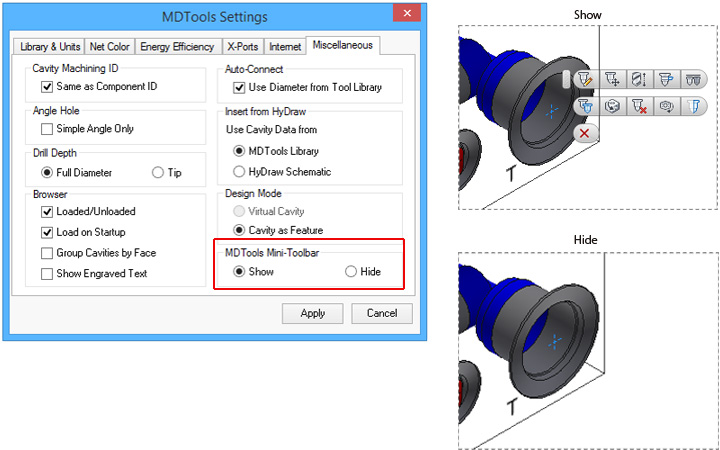 |
Control visibility of MDTools
|
|
|
||
 |
| Improved Auto Dimension Interface |
 |
- Select a view to set Face Origin and sides available for dimensioning - Choose where dimensions may be placed - Dimensions may be placed on side with black dimension icon - Dimensions may not be placed on side with grayed out dimension icon
|
|
|
||
|
| Group Cavities by Face and Show Engraved Text in browser |
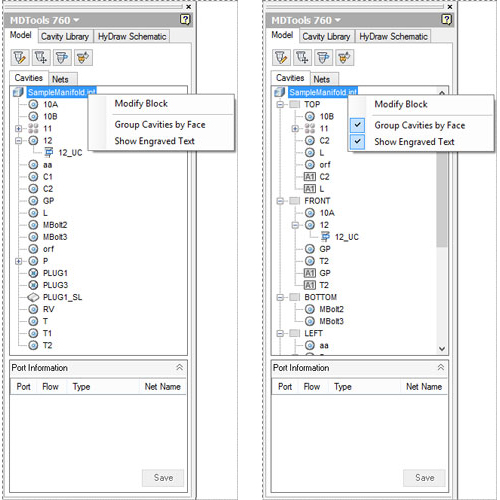 |
- Options to group cavities by face - Option to show engraved text in MDTools browser
|
|
||
|
||
| Compare Manifolds | ||
|
|
| Compare Two Manifolds and List the Difference | |
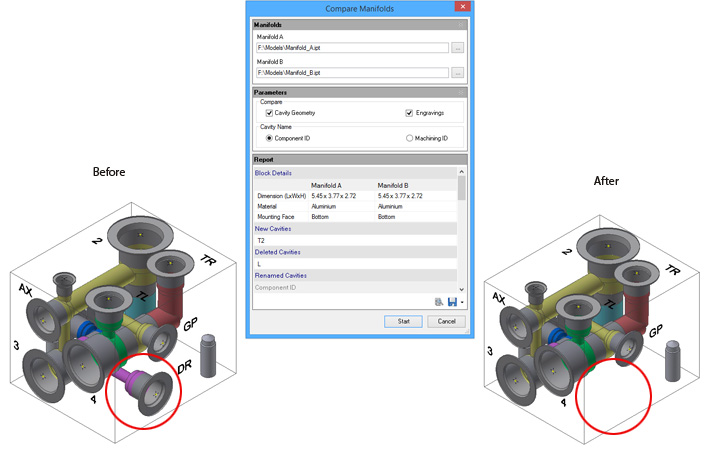 |
Differences between the original manifold and the modified manifoldare are listed in the Report
|
|
||
|
||
| Pressure Ratings | ||
|
||
| Validate Construction Ports Pressure Rating - per Net Operating Pressure | ||
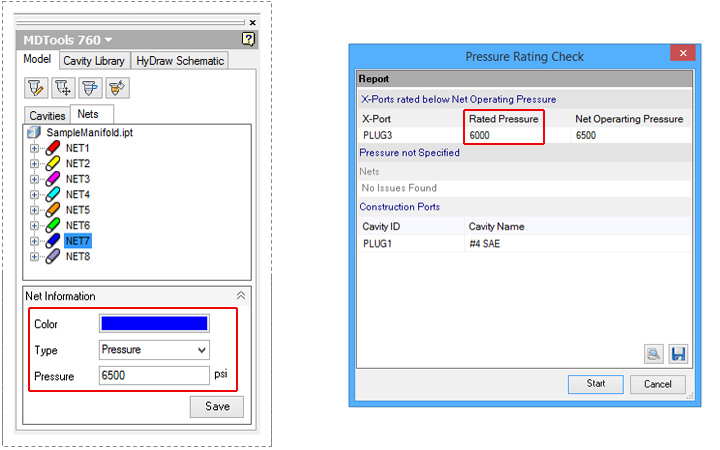 |
Change Net Operating Pressure Check rated pressure of construction ports and flanges against net operating pressure
|
|
|
||
|
||
|
|
| Machining Drawing | |
|
||
| Automatic Machining Drawing (AutoCAD .dwg support) | ||
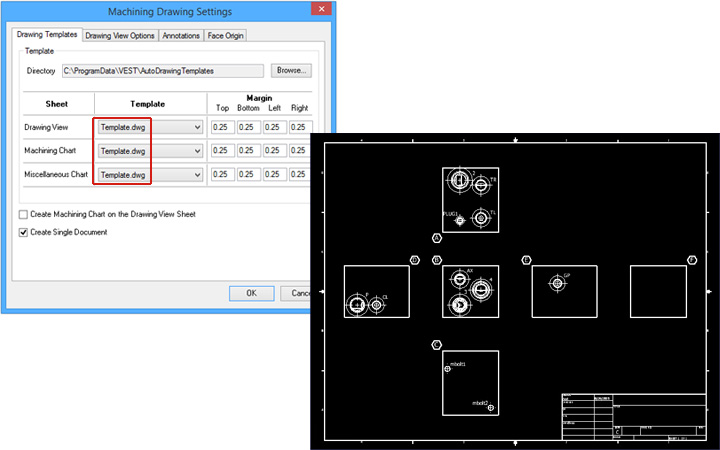 |
Use AutoCAD drawing files (.dwg)
|
|
|
||
|
| Placement of Machining IDs without overlapping Cavities |
|
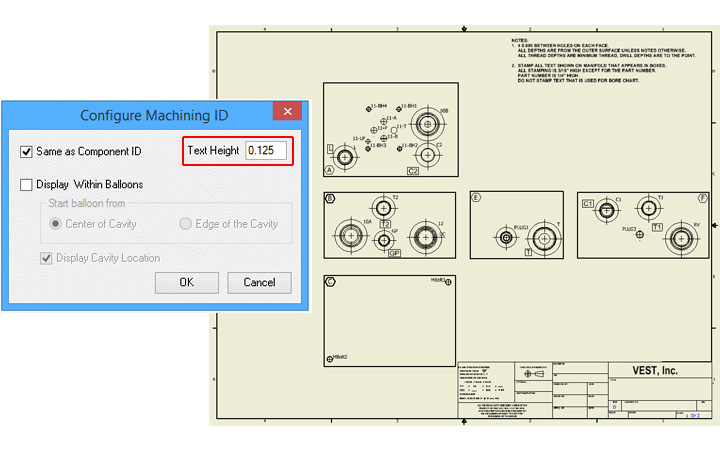
Control text height of machining IDs
|
|
||
|
||
| 2D Views | ||
| New Drawing Layout Option |
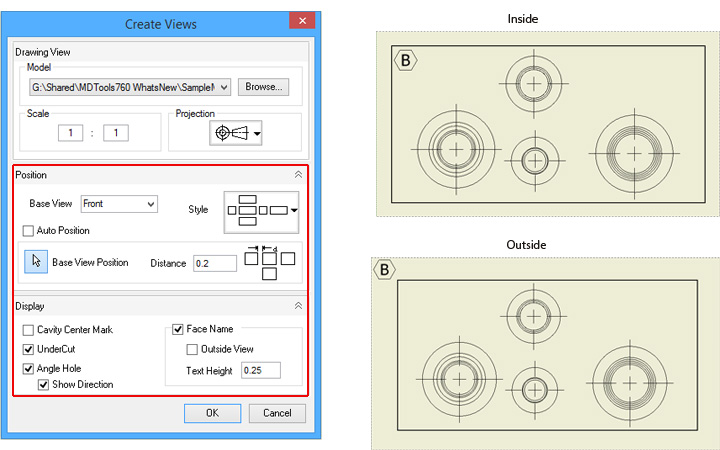 |
Select any view as base view Define position of base view manually Display undercut and angle hole Face name inside of the view Face name outside of the view |
|
||
|
||
| UnderCuts | ||
| Show/Hide UnderCuts in Drawing |
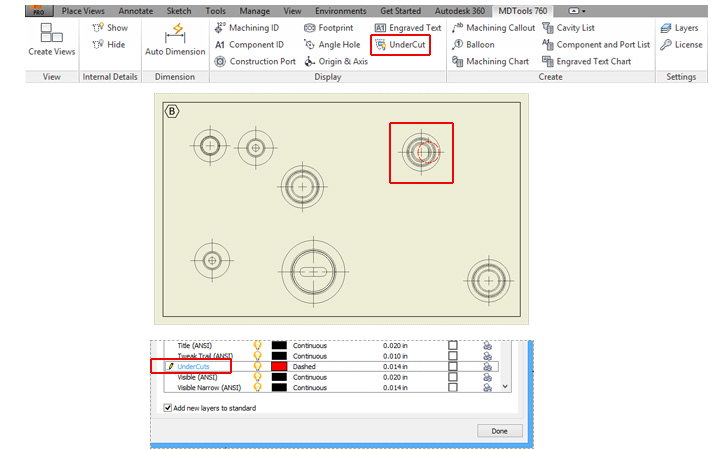 |
Top view of undercut |
|
Note: |
|
||
|
||
| Machining Chart | ||
| Enhanced Machining Chart Interface |
|
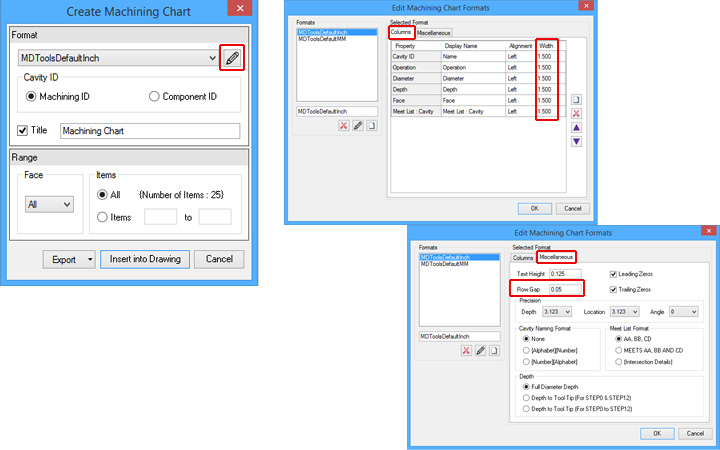
Control column width Control row gap
|
|
|
|
|
| Machining Chart created as Inventor Table |
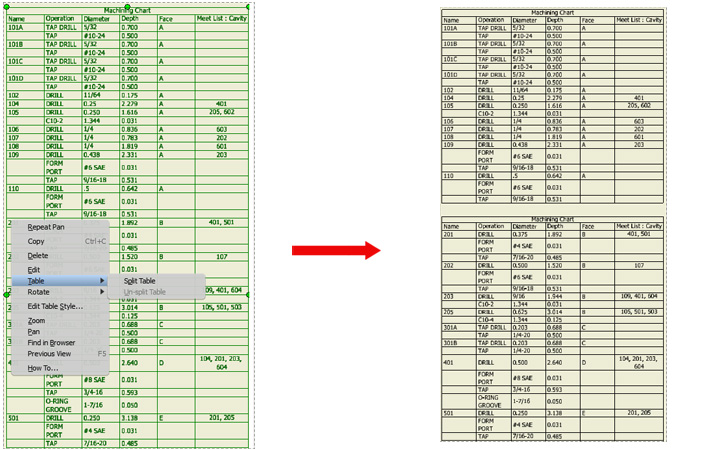 |
Machining Chart created as |
|
||
|
||
| Machining Callout | ||
| Machining Callout Position Retained |
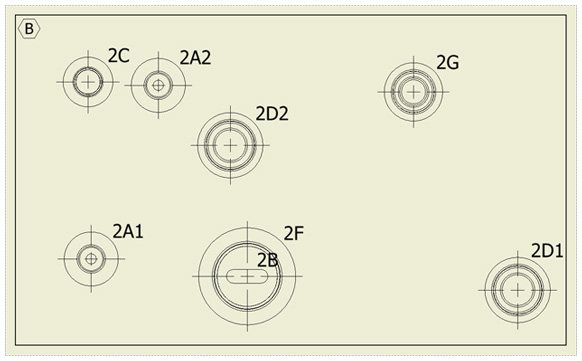 |
Retain the location of existing callouts when updating the machining callouts. Machining callout for undercuts, slots, etc. |
|
||
|
||
| Autodesk Vault Server | ||
| Assign CAD Models from Autodesk Vault Server |
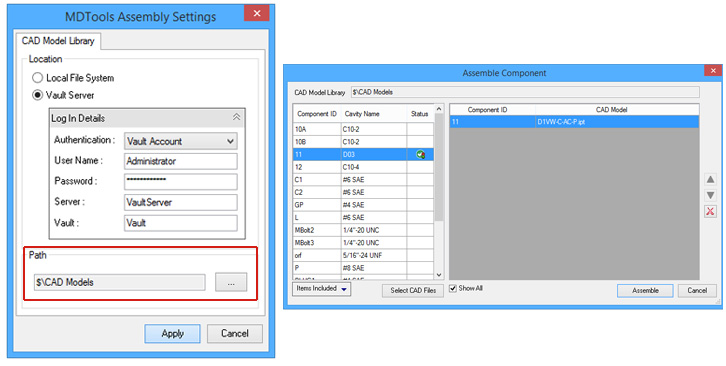 |
Option to use Autodesk Vault Server Selected CAD Model Library path |
|
||
|
||
| Miscellaneous | ||
| Select Drill Depth in Settings |
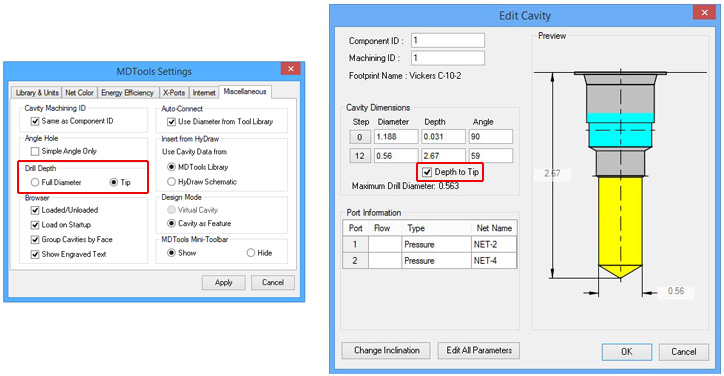 |
Select Drill Depth preference in Settings |
| Note: Override the Drill Depth settings locally while using the relevant commands. |
|
|
|
|
| Specify Text Height in Show Machining ID |
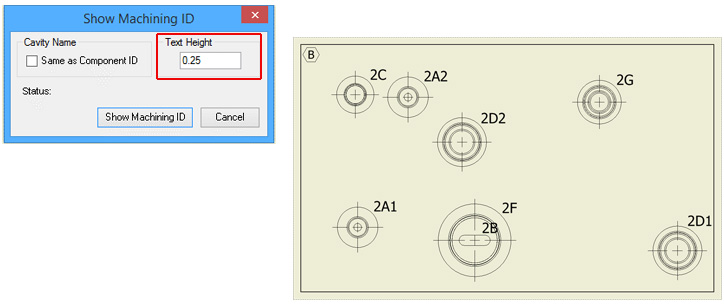 |
Control text height of annotations in a drawing
|
| Note: Override the Drill Depth settings locally while using the relevant commands. |
|
|||
|
|||
| Modify Component ID of parent Cavity while Inserting Orifice Plug | |||
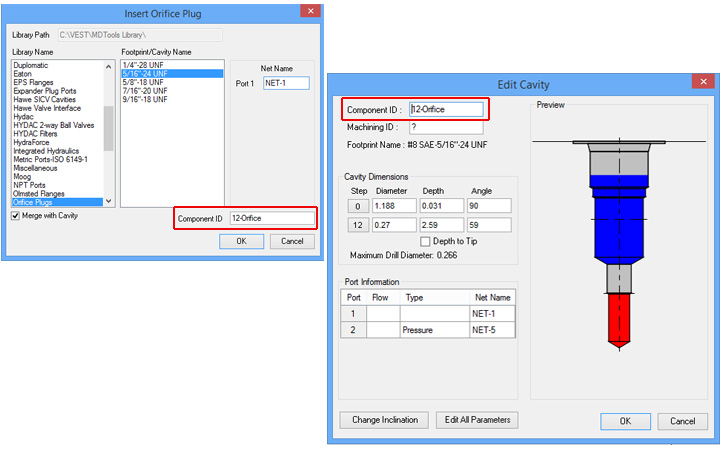 |
Modify the Component ID of a parent cavity when merged with an orifice |
|
||
|
||
| Do more... MDTools 760 manifold design software | >> Free Evaluation | |
 |
| Support & Feedback | Support Policy | Privacy | Trademarks | © 2017 VEST, Inc. |