|
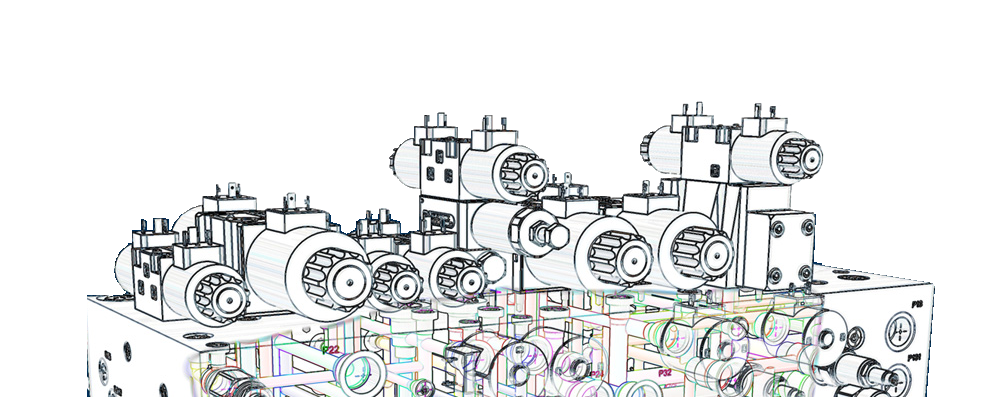
Design manifolds faster
in Virtual Cavity
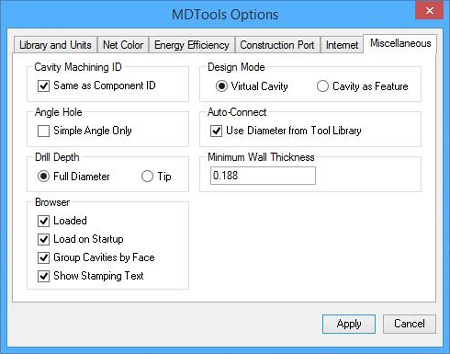
Design Mode |
Convert Virtual design into Feature design
to use in drawing and assembly environments... |
| Convert manifolds designed with earlier versions of MDTools into Virtual designs |
 |
|
 |
|
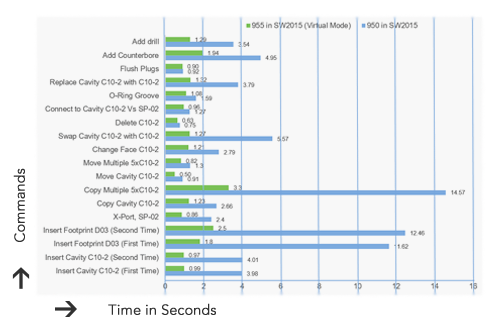
Performance Chart
955
Virtual vs 950 Feature* |
* Tested on empty block with AMD 4.0 Ghz Octacore system,
RAM – 8 GB RAM and may vary on different hardware. |
| |
|
 |
|
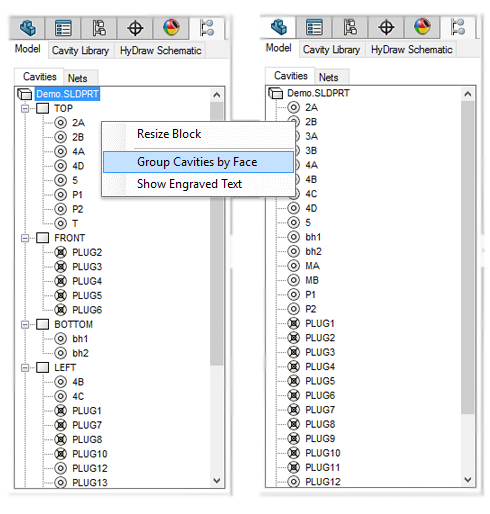
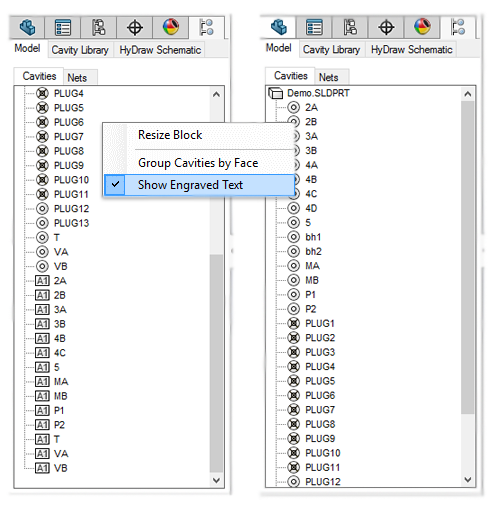
Group Cavities by Face
in MDTools browser |
|
|
 |
|
Show Engraved Text
in MDTools browser |
|
|
 |
|
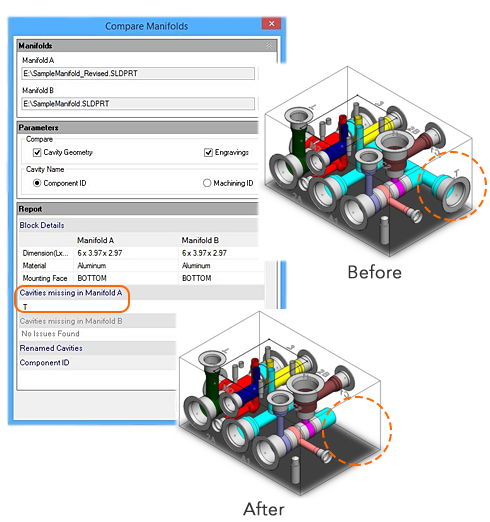
Compare two manifolds
and list the differences |
|
|
 |
|
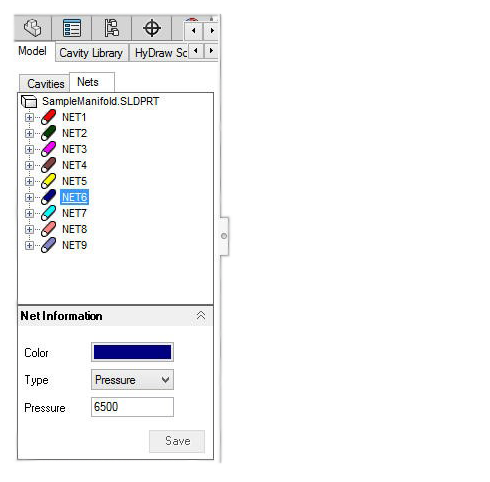
Specify Net Operating Pressure
to validate X-ports pressure rating
when making connections to the net |
|
|
 |
|
Validate Construction Ports
Pressure Rating per
Net Operating Pressure |
|
|
 |
|
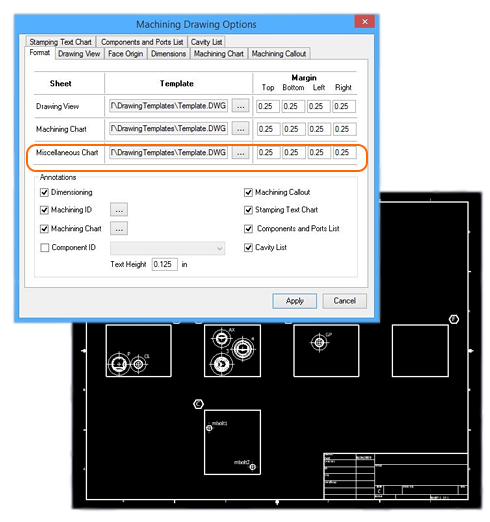
Use AutoCAD drawing files (.dwg)
as templates for
automatic machining drawing |
|
|
 |
|
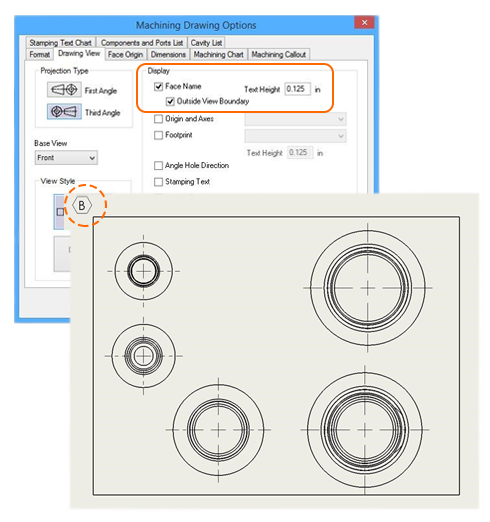
New Drawing Display Option
for Face Name location
Outside View Boundary |
|
|
 |
|
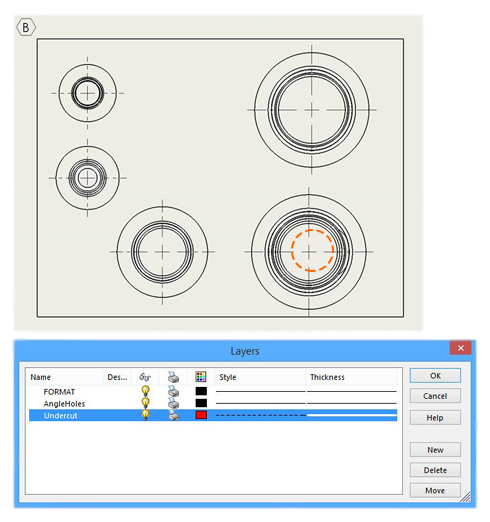
| Show/Hide Undercuts in a drawing |
| *Undercuts are placed on a separate layer |
|
|
 |
|
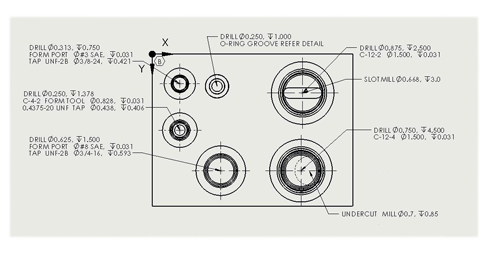
Machining Callouts Position Retained
on command re-run
|
|
|
 |
|
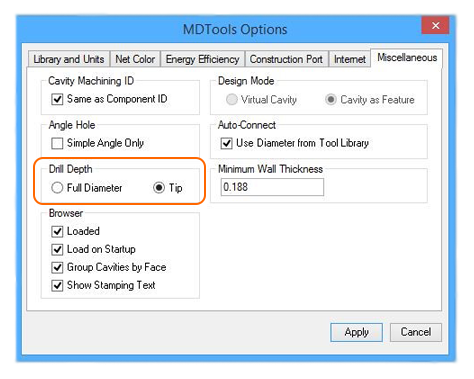
| Global Setting for Drill Depth Measurement |
|
|
 |
|
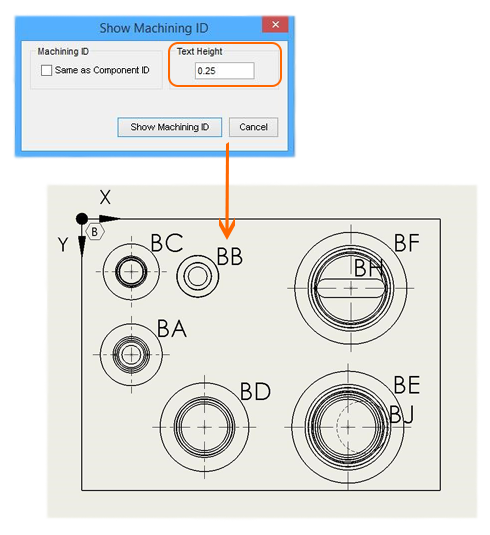
Control Text Height of Annotations
in a Drawing |
|
|
|
|
|
|
|
|
|
|
 |
|
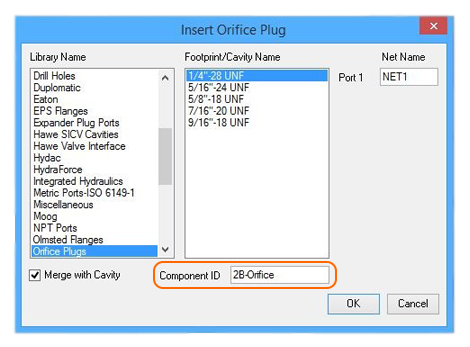
Edit Component ID of the Parent Cavity
when Inserting an Orifice Plug |
| |
|
 |
|
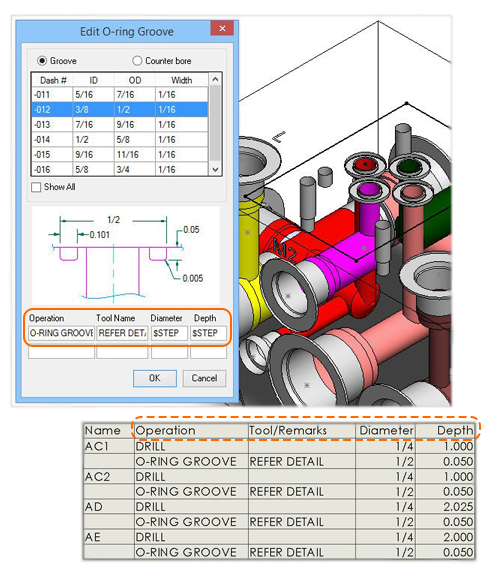
| Use $STEP in O-ring Machining Sequence |
|
|
 |
|
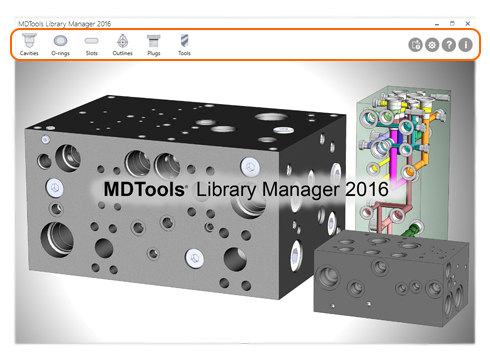
| MDTools Library Manager 2016 |
|
| Manage cavities, O-rings, slots, outlines, plugs, tools and access various features |
| |
|
 |
|
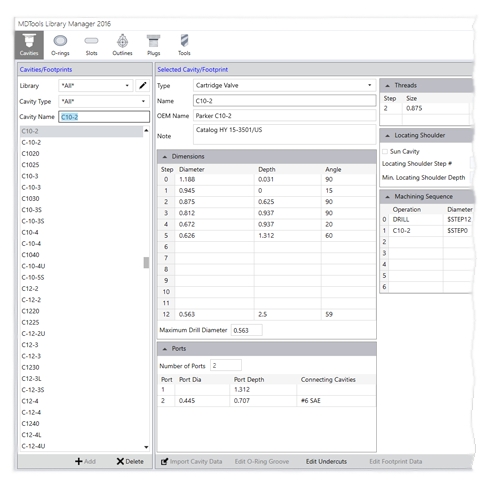
Filter search by
cavity type or/and cavity name |
| |
|
 |
|
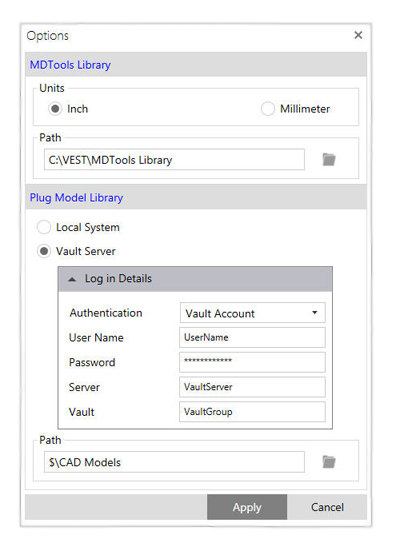
Select Vault Server,
enter Vault login details to
browse CAD files folder |
| |
|
 |
|
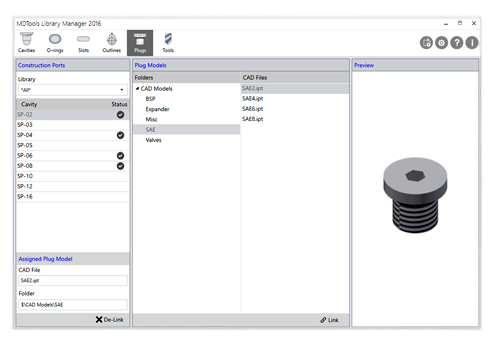
Link Plug CAD models
within
the Plugs section and
select a CAD file to preview |
| |
|
 |
|
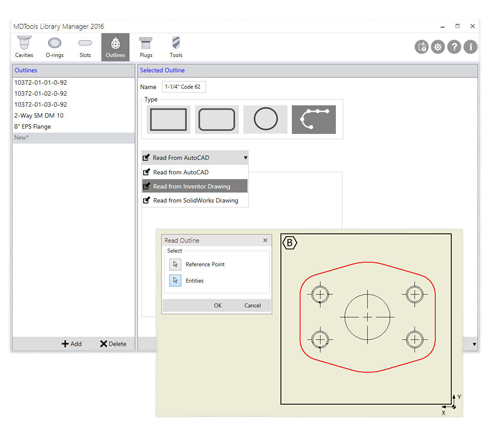
Create Custom Outlines
by
reading data from
AutoCAD,
Inventor or SolidWorks drawings |
| |
|
 |
|



 What's New